Beta · kostenlos testenBeta · test for free

Tester gesucht!Testers wanted!

Deine erste Band – online. Jam Line ist der virtuelle Proberaum für Gitarre und Bass: lernen, üben und live mit Freunden übers Internet zusammen spielen. Gemacht für Einsteiger.Your first band – online. Jam Line is the virtual rehearsal room for guitar and bass: learn, practise and play live with friends over the internet. Made for beginners.

MacWindowsiPhoneiPad Android · baldsoon
Jam Line
Deine eigene Figur: Gesicht, Frisur, Kleidung und Instrument suchst du dir selbst aus.Your own character: you choose the face, hair, clothes and instrument.
190+Amps & Effekteamps & effects
10Bühnen mit Publikumstages with a crowd
126Sounds in der Beat FactoryBeat Factory sounds
21Sprachenlanguages
Worum geht's?What is it?

Zusammen spielen – egal wo ihr seid.Play together – wherever you are.

Jam Line verbindet Musiker live – im selben WLAN oder übers Internet. Bevor die App in die Stores kommt, suchen wir Leute, die sie ausprobieren und ehrlich sagen, was gut ist und was hakt. Anfänger sind ausdrücklich willkommen.Jam Line connects musicians live – on the same Wi-Fi or over the internet. Before the app goes into the stores, we're looking for people to try it and honestly tell us what works and what doesn't. Beginners are very welcome.
  • Für Einsteiger gemacht – Schritt für Schritt in der MusikschuleMade for beginners – step by step in the music school
  • Live zusammen spielen, synchron auch übers InternetPlay live together, in sync even over the internet
  • Echte Amps, Pedale, Stimmgerät und Schlagzeug-BegleitungReal amps, pedals, tuner and drum backing
  • Aufnehmen, schneiden, mischen – und auf die BühneRecord, cut, mix – and go on stage
  • Während des Tests alles frei (Pro)Everything unlocked (Pro) during the test
Das kann Jam LineWhat Jam Line can do

Alles, was eine Band braucht.Everything a band needs.

01 · Zusammen spielen01 · Play together

Mitspieler finden, verbinden, los.Find a partner, connect, go.

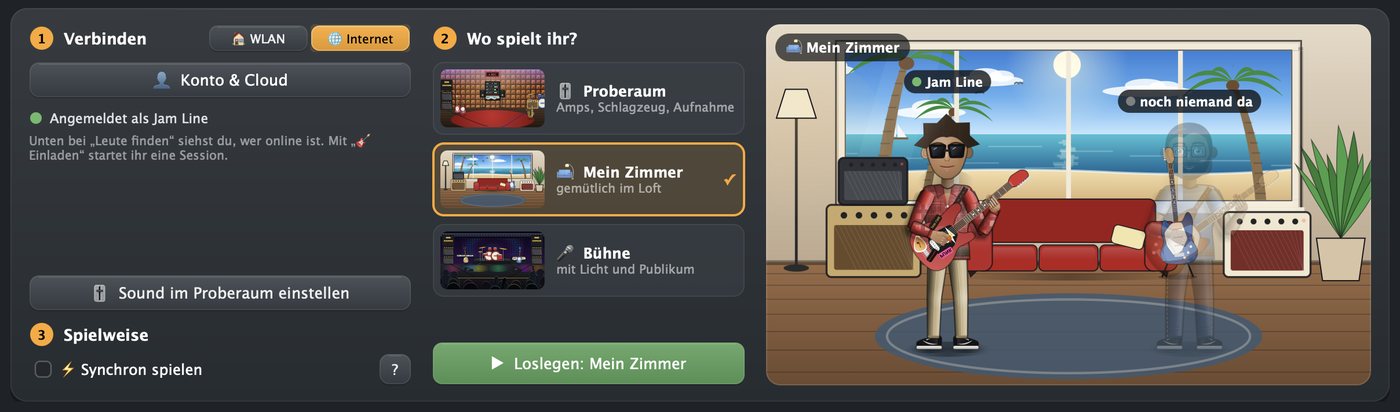
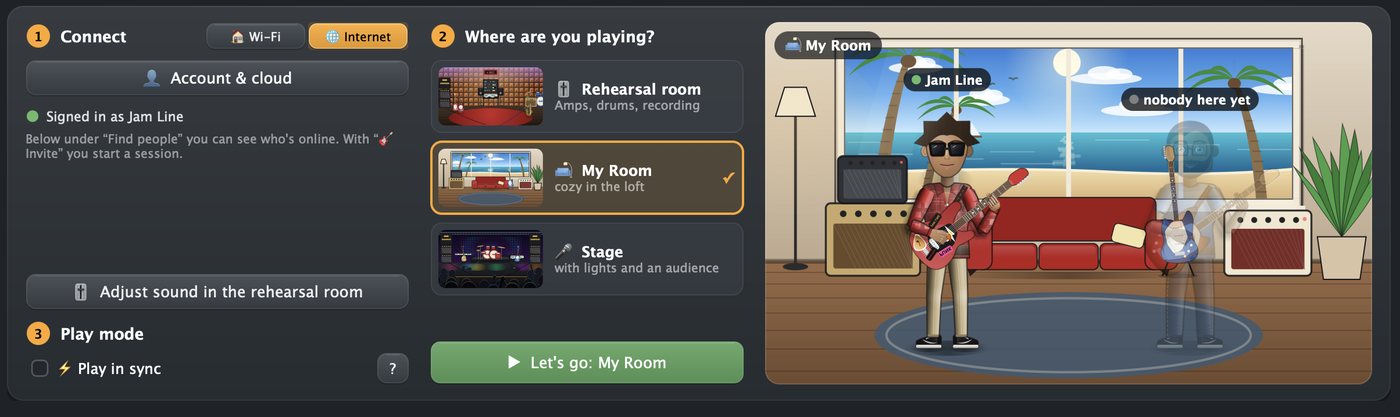
Wähle WLAN oder Internet, such dir Mitspieler nach Instrument, Stil und Sprache und leg los – live und synchron. Mit Chat, Anruf und Video.Choose Wi-Fi or internet, find partners by instrument, style and language and start playing – live and in sync. With chat, calls and video.
02 · Proberaum02 · Rehearsal room

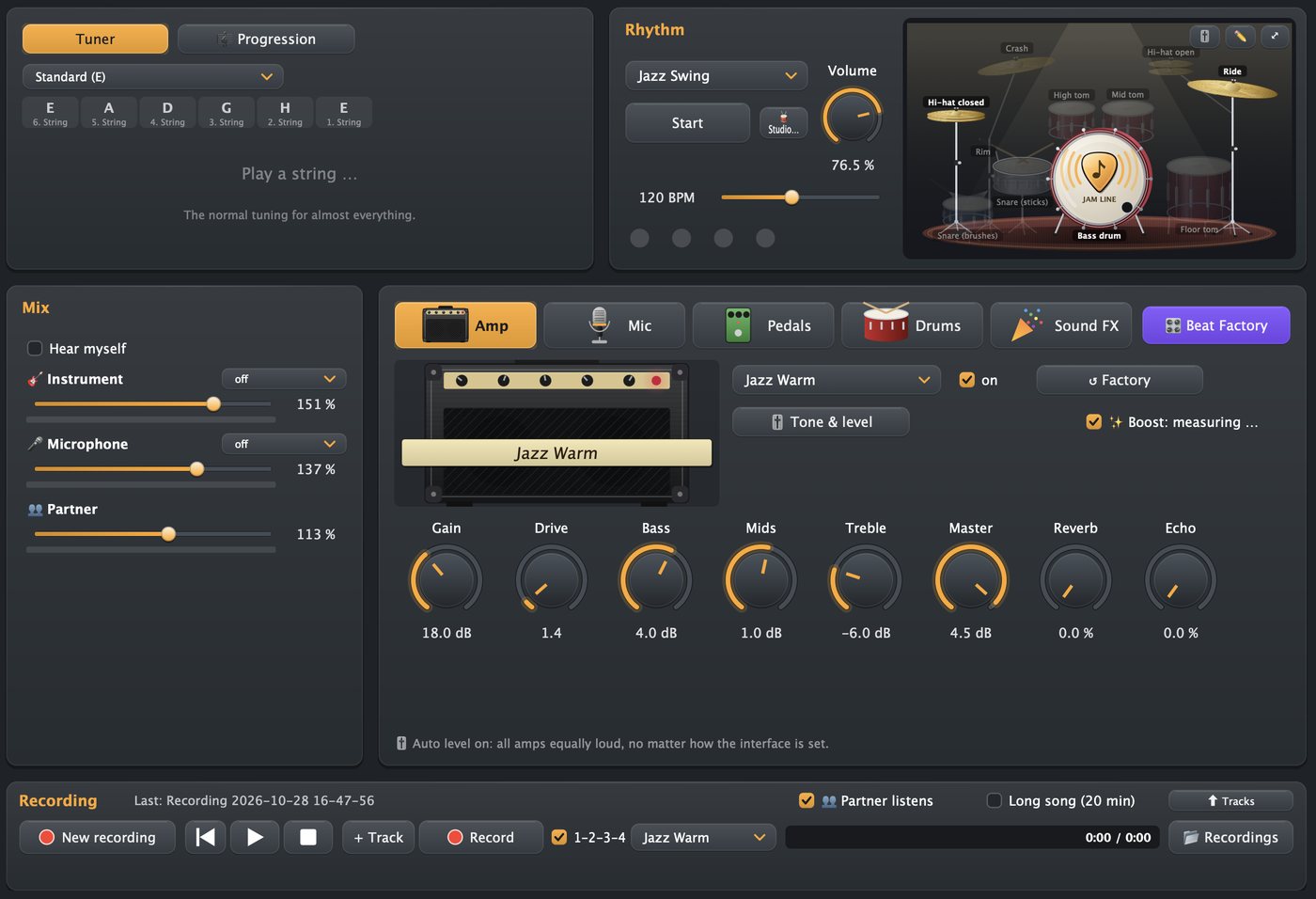
Dein Sound. Dein Proberaum.Your sound. Your rehearsal room.

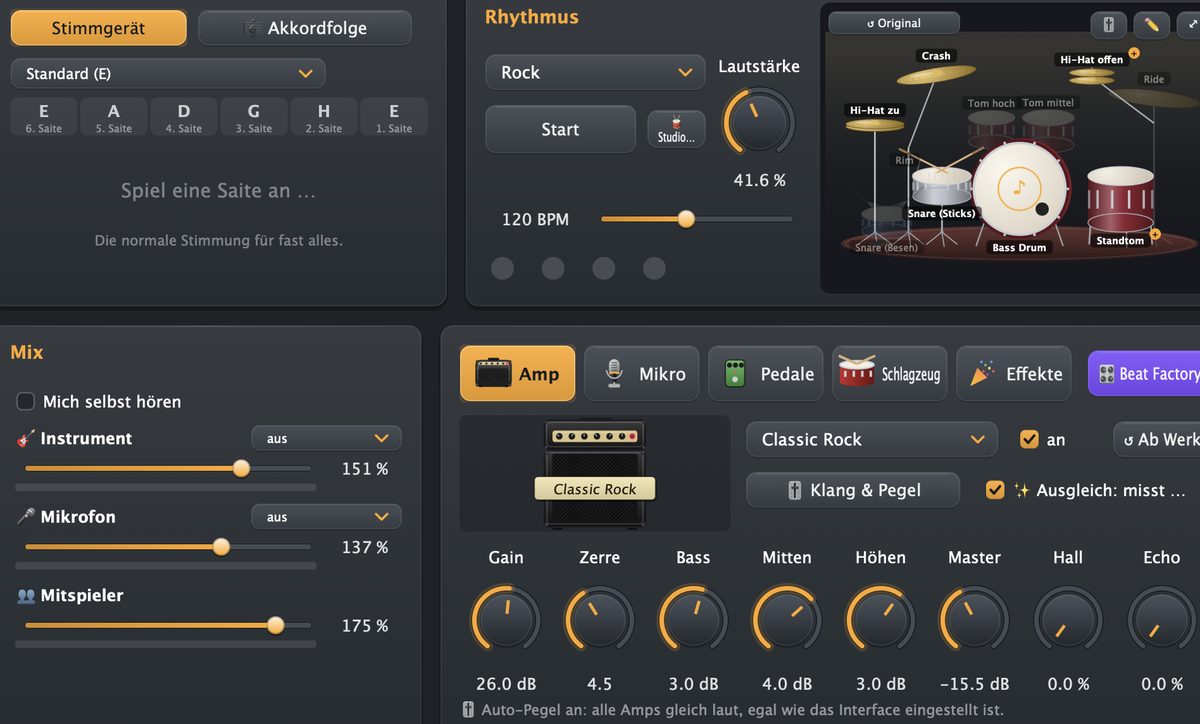
Über 190 Amps und Effekte für Gitarre und Bass, Pedalboard, Stimmgerät, Schlagzeug-Begleitung und Mixer – alles mit einem Klick.Over 190 amps and effects for guitar and bass, pedalboard, tuner, drum backing and mixer – all in one click.
03 · Bühnen03 · Stages

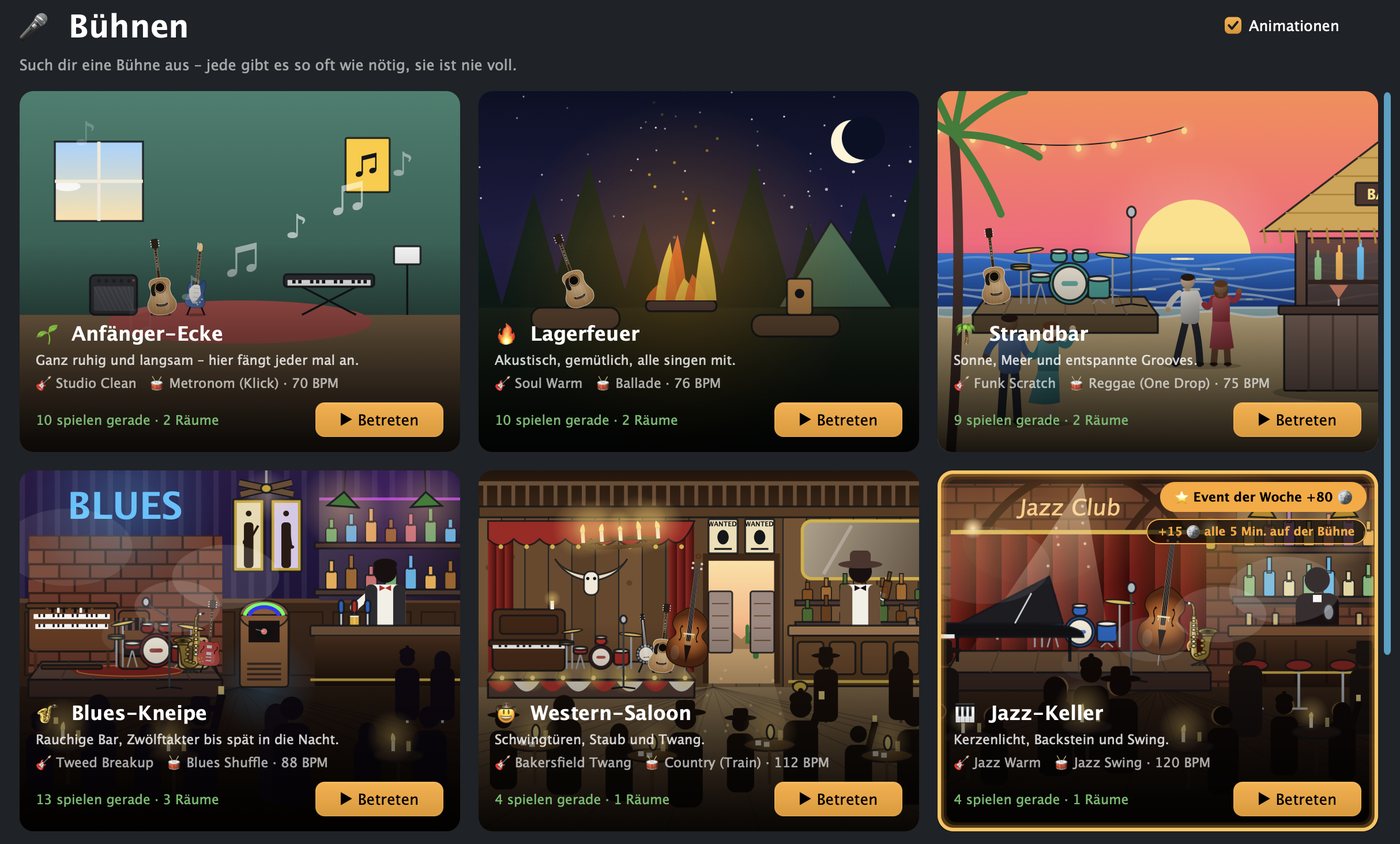
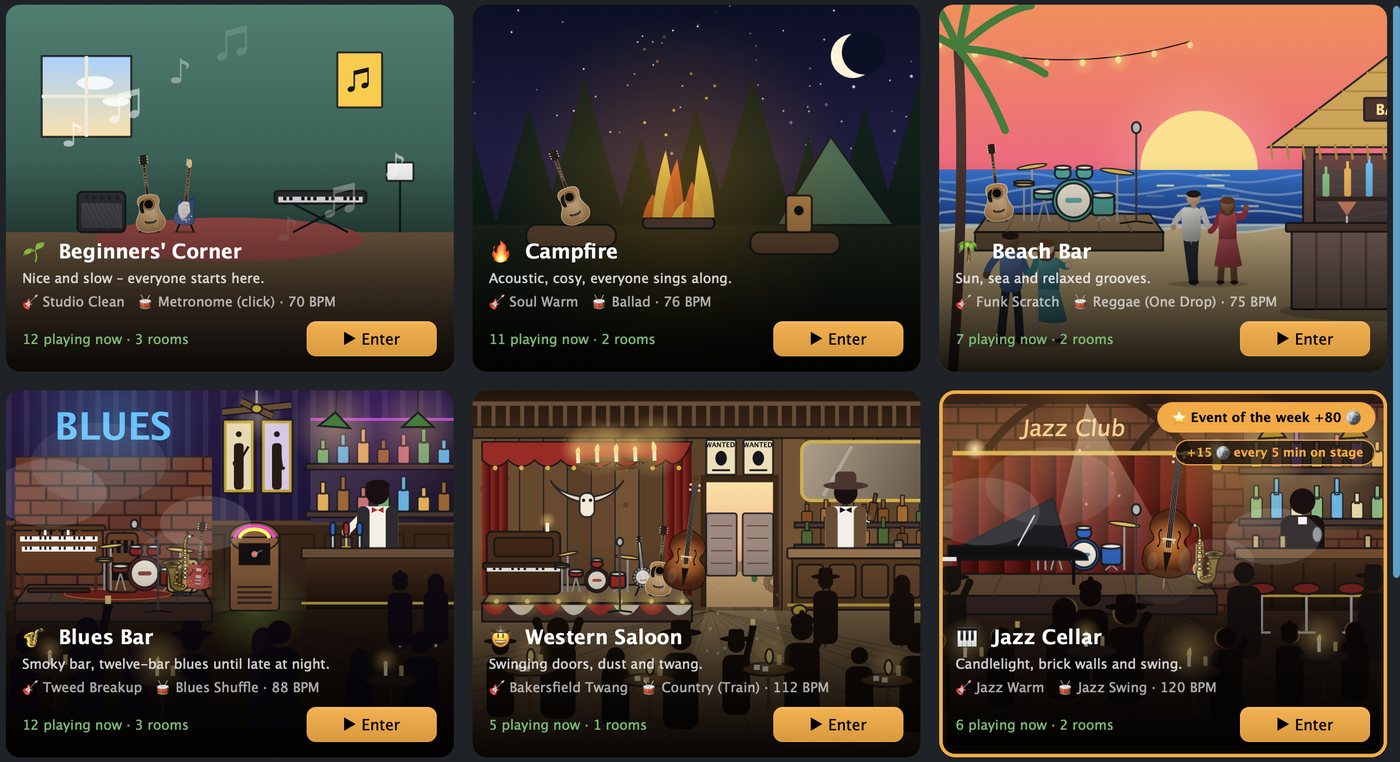
Raus aus dem Proberaum, rauf auf die Bühne.Out of the rehearsal room, onto the stage.

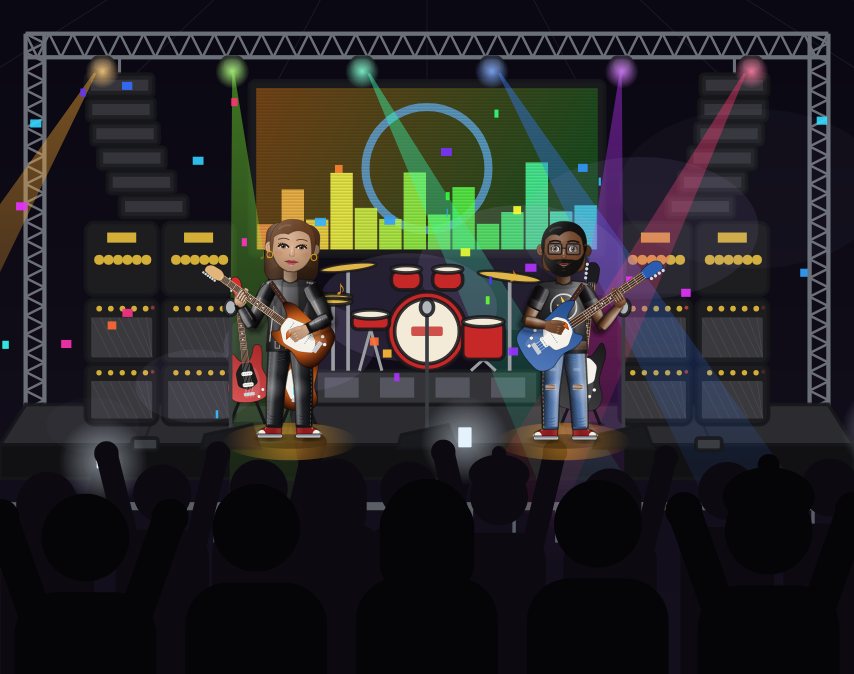
Zehn Bühnen für jeden Stil – Lagerfeuer, Strandbar, Blues-Kneipe, Jazz-Keller, Rock-Arena … mit Licht, Band-Equipment und Publikum, das mitgeht.Ten stages for every style – campfire, beach bar, blues pub, jazz cellar, rock arena … with lights, band gear and a crowd that goes along.
04 · Beat Factory04 · Beat Factory

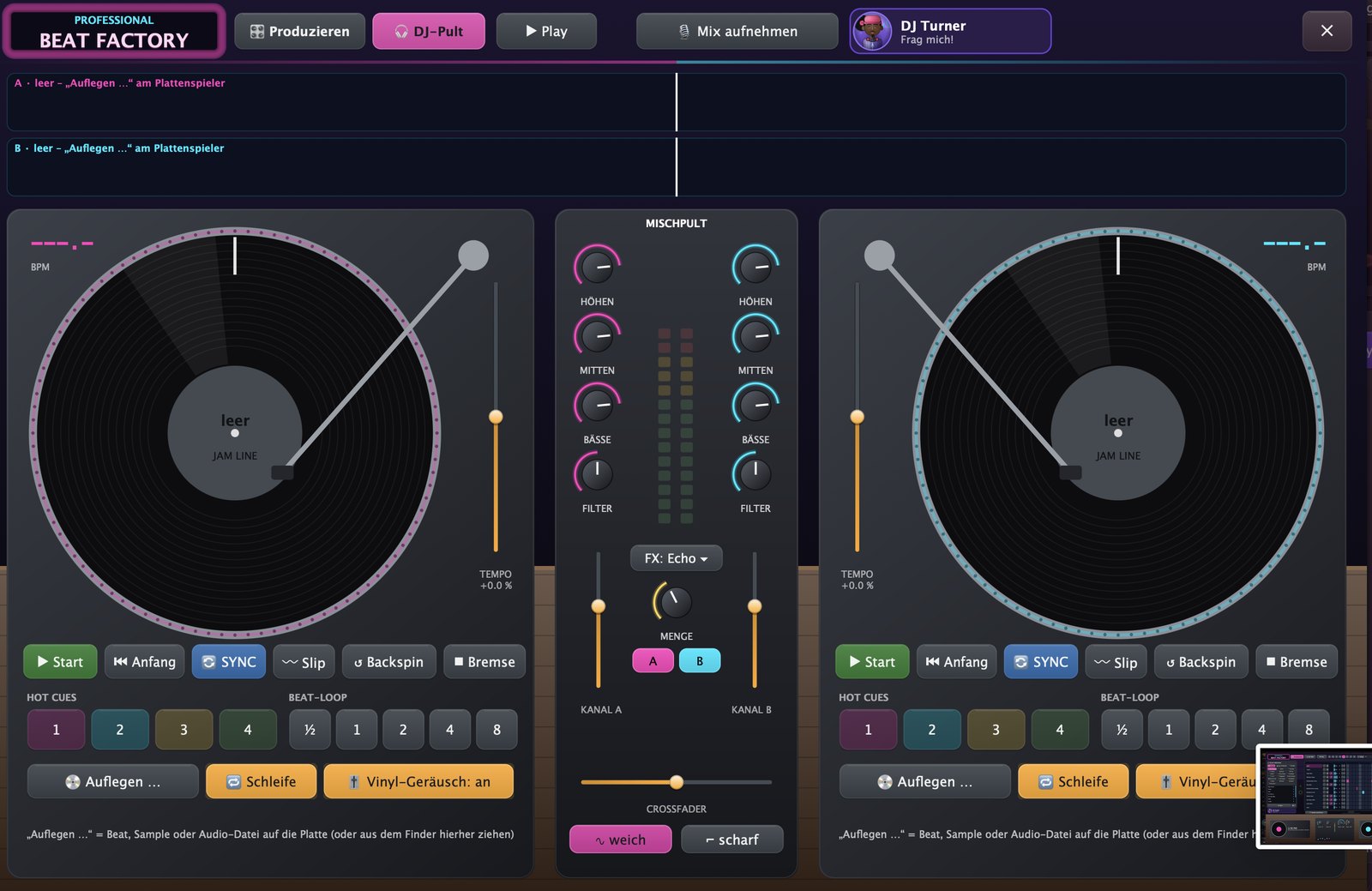
Beats bauen, auflegen, scratchen.NEUBuild beats, mix, scratch.NEW

126 Sounds von Hip-Hop bis Dubstep, Pianorolle für eigene Melodien und ein DJ-Pult mit zwei großen Plattentellern. DJ Turner erklärt dir jeden Knopf.126 sounds from hip-hop to dubstep, a piano roll for your own melodies and a DJ deck with two big turntables. DJ Turner explains every button.
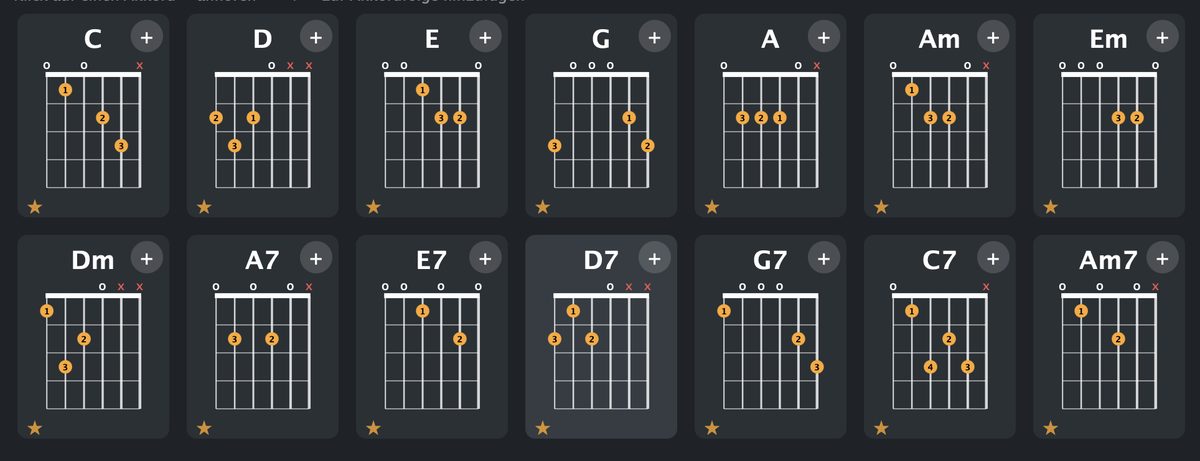
05 · Akkorde & Songs05 · Chords & songs

Griffbilder auf einen Blick.Chord diagrams at a glance.

Akkorde zum Nachgreifen und Songs mit mitlaufenden Akkorden – ideal zum Lernen und Mitspielen.Chords to copy and songs with chords that follow along – ideal for learning and playing along.
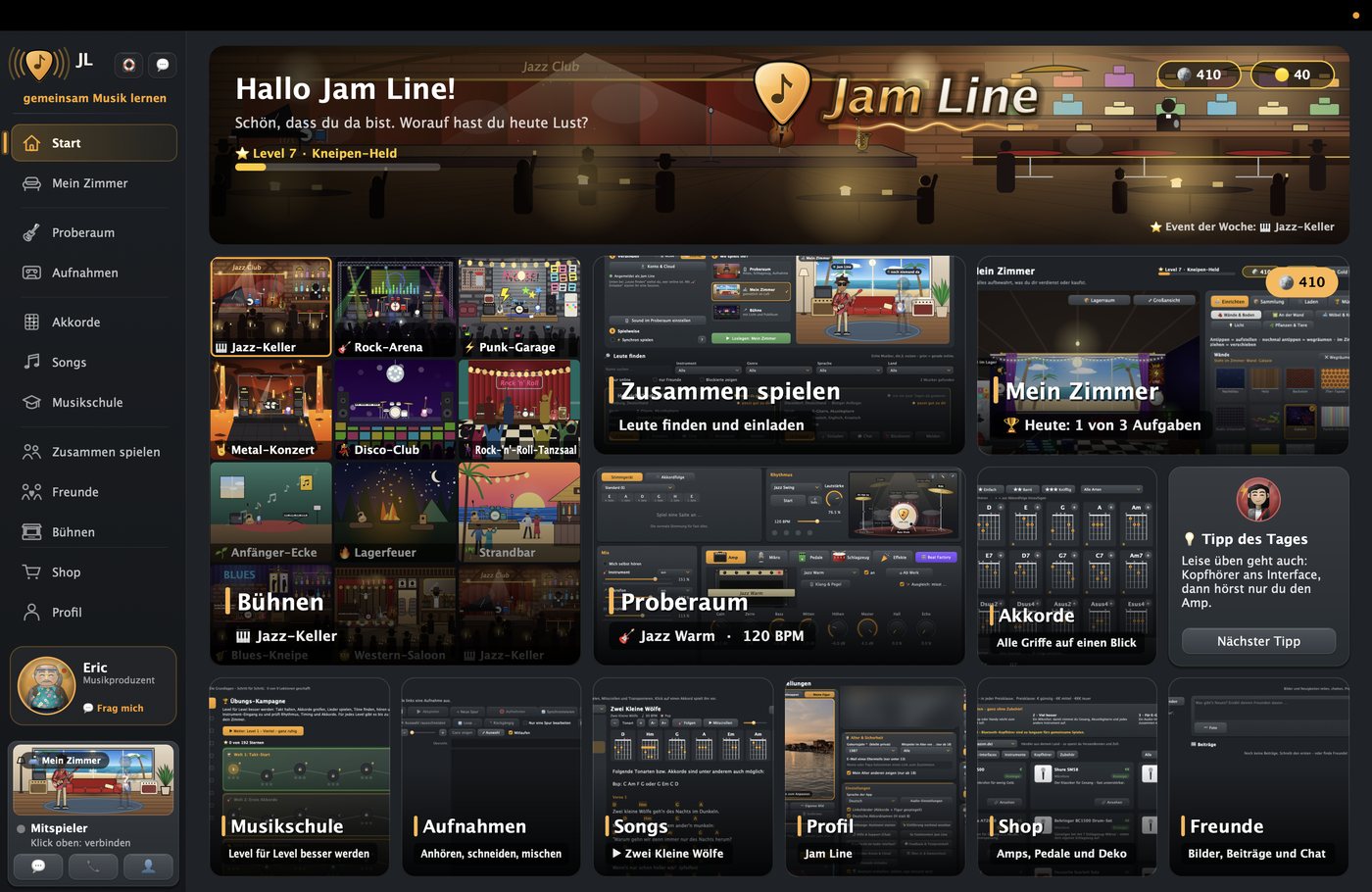
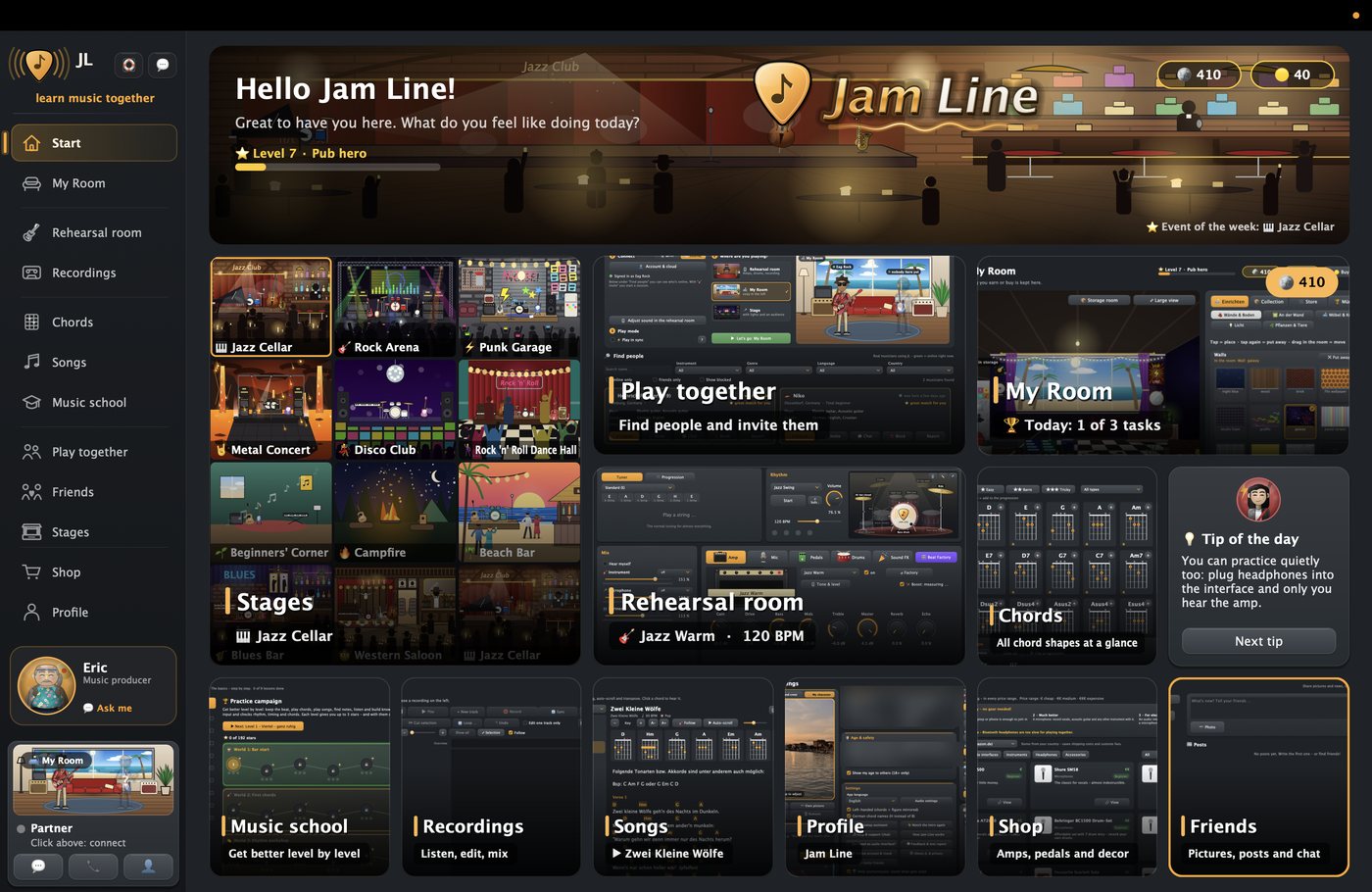
06 · Alles drin06 · All in one

Musikschule, Aufnahmen, dein Zimmer.Music school, recordings, your room.

Musikschule Level für Level, Aufnahmen schneiden und mischen, dein eigenes Zimmer, Freunde und Chat – alles auf einen Blick.Music school level by level, record, cut and mix, your own room, friends and chat – everything at a glance.

Als TesterAs a tester

Was du machst – und was du bekommst.What you do – and what you get.

🎛AusprobierenTry it outAmps, Songs, Aufnahmen, Bühnen – und am wichtigsten: zusammen spielen.Amps, songs, recordings, stages – and most importantly: playing together.
💬Rückmeldung gebenGive feedbackDirekt in der App über die Sprechblase – Fehler, Wünsche, Ideen.Right in the app via the speech bubble – bugs, wishes, ideas.
⏱2–4 Wochen2–4 weeksSo oft du Lust hast. Ein, zwei Sessions pro Woche helfen schon sehr.As often as you like. One or two sessions a week already help a lot.
🎁Dafür bekommst duWhat you getAlles frei (Pro) während des Tests – und deine Ideen landen direkt in der App.Everything unlocked (Pro) during the test – and your ideas go straight into the app.
Was du brauchstWhat you need

Auf deinem Gerät.On your device.

Jam Line läuft auf Computer, Handy und Tablet. Hast du Lust, die Handy- und Tablet-Version zu testen? Dann wähle unten im Formular dein Gerät aus.Jam Line runs on computers, phones and tablets. Would you like to test the phone and tablet version? Then choose your device in the form below.

JetztNow🪟WindowsWindows 10 oder 11 mit Microsoft-Konto (für den Store).Windows 10 or 11 with a Microsoft account (for the Store).
JetztNow💻MacAktuelles macOS und die kostenlose App TestFlight aus dem Mac App Store.A current macOS and the free TestFlight app from the Mac App Store.
JetztNow📱iPhone & iPadiOS 15 oder neuer und TestFlight. Audio-Interface nur „Class Compliant“ (ohne Treiber), ggf. mit Adapter.iOS 15 or later and TestFlight. Audio interface must be “class compliant” (no driver), possibly with an adapter.
BaldSoon🤖AndroidAndroid 8 oder neuer. Interessiert? Im Formular „Android“ wählen – wir melden uns.Android 8 or later. Interested? Choose “Android” in the form – we will get in touch.
🎸
Instrument & KopfhörerInstrument & headphonesAm besten mit USB-Audio-Interface – ohne geht es auch über das eingebaute Mikrofon. Kopfhörer sind beim Zusammenspielen wichtig, sonst gibt es Echo.Ideally with a USB audio interface – it also works with the built-in microphone. Headphones matter when playing together, otherwise you get an echo.
🛒
Noch kein Audio-Interface?No audio interface yet?Im Shop der App stellen wir passende Interfaces, Kabel und Zubehör vor. Kaufst du über einen dieser Links, bekommen wir eine kleine Provision – für dich kostet es nichts extra, und natürlich ist das freiwillig.In the app's shop we show suitable interfaces, cables and accessories. If you buy through one of these links, we get a small commission – it costs you nothing extra, and of course it's optional.
So wirst du TesterHow to become a tester

In drei Schritten dabei.Three steps and you're in.

BewerbenApply
Formular ausfüllen – mit der E-Mail, mit der du dich bei Microsoft, Apple bzw. Google anmeldest.Fill in the form – with the email you use for Microsoft, Apple or Google.
FreischaltenGet unlocked
Wir schalten dich frei und schicken dir eine E-Mail – meist innerhalb von 1–2 Tagen.We unlock you and send you an email – usually within 1–2 days.
LoslegenStart playing
Über die Links unten installieren, in der App im Profil anmelden – fertig.Install via the links below, sign in on your profile in the app – done.
BewerbungApplication

Werde Tester.Become a tester.

✅ Danke! Deine Bewerbung ist angekommen. Wir melden uns per E-Mail, sobald du freigeschaltet bist.Thank you! Your application has arrived. We'll email you as soon as you're unlocked.
Schon freigeschaltet?Already unlocked?

Hier installieren.Install here.

🪟WindowsIm Microsoft Store mit der E-Mail anmelden, die du im Formular angegeben hast – nur dann siehst du Jam Line. Dann „Installieren“.Sign in to the Microsoft Store with the email you gave us – only then will you see Jam Line. Then click “Install”.
🪟Im Microsoft Store öffnenOpen in the Microsoft Store
🍏Mac, iPhone & iPadZuerst die kostenlose App TestFlight aus dem App Store laden, dann den Link öffnen und „Installieren“ wählen. Updates kommen automatisch.First get the free TestFlight app from the App Store, then open the link and choose “Install”. Updates arrive automatically.
Mac, iPhone & iPad – in TestFlight öffnenMac, iPhone & iPad – open in TestFlight